Best Mobile Apps for Creating YouTube Thumbnails on the Go 2026
Your YouTube thumbnail is the first thing viewers see—it’s your video’s storefront window. A compelling thumbnail can be the difference between a viewer clicking on your video or scrolling past it, even if your content is exceptional . With the rise of AI and powerful mobile design tools, you no longer need a desktop computer or advanced graphic design skills to create professional-quality thumbnails. This article explores the top mobile apps for crafting eye-catching YouTube thumbnails in 2026, covering AI-powered options, all-in-one design studios, and specialized tools to fit every need and budget.
The Art of the Click: Core Thumbnail Design Principles
Before diving into the apps, it’s essential to understand what makes a thumbnail effective. Successful creators consistently employ a few key strategies:
- High-Contrast Visuals: Bold, contrasting colors help your thumbnail stand out in a sea of content .
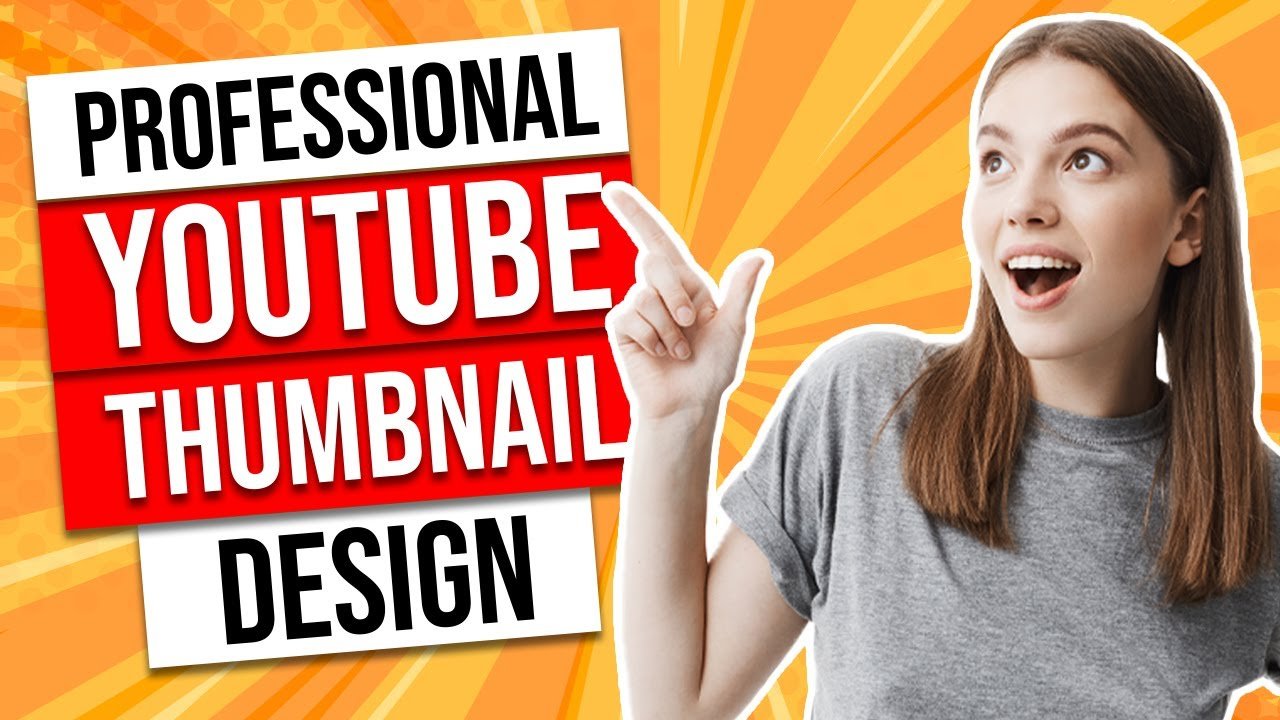
- Expressive Faces: Emotion—whether surprise, excitement, or curiosity—draws viewers in. Close-up shots with clear facial expressions are highly effective .
- Bold, Minimalist Text: Overcrowding your thumbnail with text reduces its impact. Use large, readable fonts with a drop shadow, and limit yourself to just a few powerful words .
Top Mobile Apps for Thumbnail Creation
Here are the best apps for creating thumbnails directly from your phone or tablet, categorized by their strengths.
Canva: The All-in-One Design Powerhouse
Canva is a dominant force in the design world, and its mobile app is no exception. It offers an extensive library of templates specifically designed for YouTube thumbnails, making it an ideal starting point for creators of all skill levels . Its intuitive drag-and-drop interface allows you to customize templates with your own images, text, and branding. The app also includes powerful AI features like a background remover, making it a versatile tool for quickly transforming basic photos into professional-looking graphics . With thousands of templates and a vast library of fonts and graphics, Canva is a one-stop-shop for creators who need to produce a wide variety of visual content .
Thumby: The AI-First Creator for Maximum Impact
Thumby is a specialized AI-powered app designed with one goal: to create high-performing YouTube thumbnails quickly . You can upload a photo of yourself, describe the desired style and text, and the app’s AI engine will generate custom, click-optimized thumbnails. Thumby’s AI focuses on putting your face at the center of the action, automatically enhancing expressions, lighting, and contrast to maximize audience engagement . It also provides over 20 design presets for different YouTube genres, from gaming to vlogging, and supports exporting in multiple formats for YouTube, Shorts, Instagram, and more .
Background Eraser: For Professional Cutouts
A clean, isolated subject is a hallmark of a professional thumbnail. Background Eraser is a specialized app that excels at this one critical task. Using a combination of AI and manual tools, you can quickly and accurately remove or replace the background of any image . It offers several modes for precision, including a precise AI server mode for pixel-level accuracy and a quick AI mode for one-click background removal. You can also replace backgrounds with AI-generated scenes or solid colors, making it an invaluable companion app for any thumbnail creator .
Thumbnail Maker: Template-Rich and Easy to Use
If you prefer a guided approach, apps like “Thumbnail Maker” and “Thumbnail Maker For YT Studio!” offer thousands of pre-made templates. These apps are designed to be quick and easy, requiring no design skills . You simply select a template, customize it with your own images and text, and you’re done. They often include a wide variety of backgrounds, stickers, fonts, and filters, allowing you to create a unique look for your channel in minutes . They are perfect for creators who need to produce consistent thumbnails rapidly but prefer not to start from a blank canvas.
Bazaart: AI and Design for Social Creators
Bazaart is a full-featured AI photo and video editor that is excellent for designing for social media, including YouTube thumbnails . Its powerful AI tools allow you to remove or replace backgrounds, erase unwanted objects, and even generate AI models for product shots. For thumbnails, this means you can create complex, polished designs with multiple layers, precise text positioning, and professional effects. Bazaart’s “Magic Edit” feature lets you select an area of an image and replace it using just a text prompt, opening up incredible creative possibilities .
vidIQ: Optimize Your Thumbnail’s Potential
While vidIQ isn’t a thumbnail creator itself, it’s an essential tool for any serious creator. As a leading growth platform for YouTube, it provides AI-powered insights to help you optimize your entire video strategy . It can audit your titles, descriptions, and thumbnails before you publish, giving you an SEO score and specific recommendations to improve discoverability . While not a design tool, vidIQ helps you understand if your thumbnail design is likely to be effective, ensuring your creative work doesn’t go to waste.
Choosing the Right App for You
| App Name | Primary Strength | Best For | Key Feature |
|---|---|---|---|
| Canva | Versatility & Templates | All creators needing a jack-of-all-trades design tool | Vast template library and AI background remover |
| Thumby | AI-Powered Generation | Creators wanting instant, optimized thumbnails | AI-generated thumbnails from a photo and text prompt |
| Background Eraser | Background Removal | Creators who need perfect subject cutouts | Pixel-level accurate AI and manual background removal |
| Thumbnail Maker | Template-Driven Speed | Quick, no-skill design from a huge template base | Thousands of templates for instant creation |
| Bazaart | Advanced AI Editing | Creators needing complex compositions and effects | AI Magic Edit for replacing objects with text prompts |
| vidIQ | Optimization & Analytics | Strategic creators looking to improve click-through rates | AI SEO scoring for thumbnails and metadata |
Conclusion
Creating professional YouTube thumbnails on the go is not only possible but more accessible than ever. Whether you leverage AI to generate entire designs with Thumby, rely on the professional templates of Canva and Thumbnail Maker, or perfect your subject isolation with Background Eraser, there is a mobile app to fit your workflow. By combining these powerful tools with proven design principles—like using contrasting colors and expressive faces—you can craft thumbnails that demand attention. This is a critical step for any creator looking to stand out in a crowded digital space and grow their channel .
Frequently Asked Questions (FAQs)
1. What is the best mobile app for creating YouTube thumbnails if I have no design skills?
Canva and Thumbnail Maker are excellent choices for beginners. They offer thousands of easy-to-customize templates, requiring zero design experience to create professional-looking thumbnails .
2. Are there free apps to make YouTube thumbnails?
Yes, many of the apps mentioned, including Canva, Background Eraser, and Thumbnail Maker, offer free versions with core features. However, to unlock premium elements, AI credits, and remove watermarks, a subscription or one-time purchase is often required .
3. How can AI help me create better thumbnails?
AI can streamline the process in several ways. Background Eraser uses AI to remove or replace backgrounds in one tap. Thumby uses AI to generate complete, click-optimized thumbnail designs from a photo and text description .
4. What size should my YouTube thumbnail be?
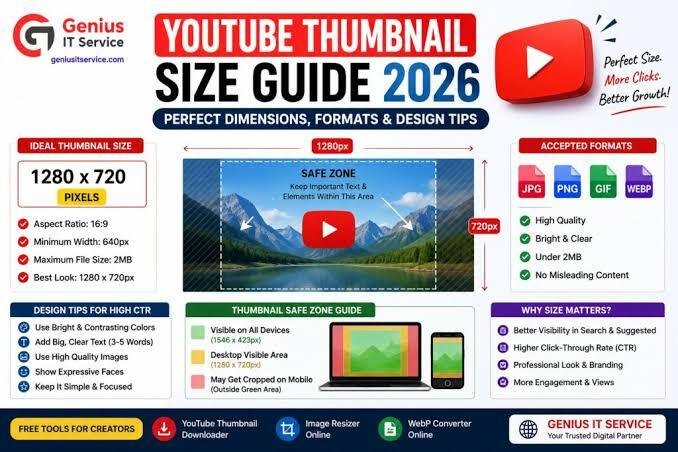
The recommended size for a YouTube thumbnail is 1280 x 720 pixels, with a 16:9 aspect ratio. This ensures it displays correctly on all devices, from desktops to mobile phones .
5. Can I create YouTube Shorts thumbnails with these apps?
Yes. Many apps like Thumby and Bazaart support vertical formats specifically for YouTube Shorts (9:16 aspect ratio) as well as other formats for TikTok and Instagram .
6. How can I optimize my thumbnail for more clicks?
Focus on high-contrast colors and a single, bold focal point (like an expressive face). Keep text minimal and very legible. Use analytics tools like vidIQ to audit your thumbnail design and get SEO recommendations to improve its potential .