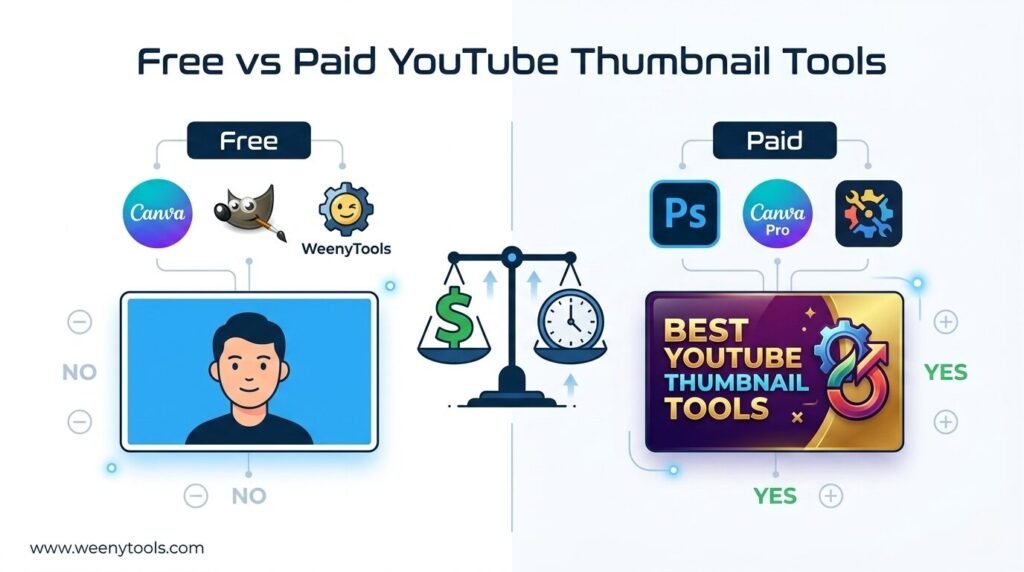
Free vs Paid YouTube Thumbnail Makers Which One Should You Choose
Your thumbnail is the first thing viewers see. According to YouTube’s Creator Academy, thumbnails influence click-through rate (CTR) more than any other single factor . Get it wrong, and even the best video content gets overlooked. Get it right, and you can dramatically boost your views.
With countless tools available—from completely free options to premium subscriptions—the choice can feel overwhelming. This guide breaks down exactly what you get with free vs paid YouTube thumbnail makers, helping you decide based on your needs, budget, and workflow.
What Makes a Great YouTube Thumbnail Maker?
Before comparing free and paid options, let’s establish what a good thumbnail maker should do. A quality tool needs to:
- Produce intentional, professional-looking outputs, not generic template-fills
- Be fast enough to fit into your publishing workflow without causing delays
- Help you make better creative decisions, not just faster ones
- Support high resolution—thumbnails need to look sharp on both mobile and desktop screens
- Offer text and graphics editing capabilities for creating eye-catching designs
The best tools allow you to emphasize strong focal points (often faces), use bold color contrast, and create simple compositions that viewers can process in under a second .
The Case for Free YouTube Thumbnail Makers
Free tools are a perfect starting point. They let you explore different styles, experiment with prompts, and create solid thumbnails without spending a dime . Here are the best free options available in 2026:
Canva (Free Tier)
Canva remains the undisputed king of accessible design. Its drag-and-drop interface and massive library of YouTube thumbnail templates make it incredibly beginner-friendly . The free version offers hundreds of templates, unlimited edits, and access to thousands of stock photos and fonts .
Best for: Beginners, occasional creators, and anyone who wants a quick, reliable design without a learning curve.
Limitations: Because millions use the same templates, your thumbnails can look generic . The free version also lacks premium features like background removal and brand kits .
DALL·E 3 on Bing Image Creator
DALL·E 3 solves a longstanding pain point: generating readable text within images. You can type a prompt like “YouTube thumbnail, bright comic style, headline ‘Budget PC Build,’ excited host pointing at tower,” and get usable results with text rendered correctly . You receive 15 fast generations per day.
Best for: Creators whose thumbnails rely heavily on text or phrases.
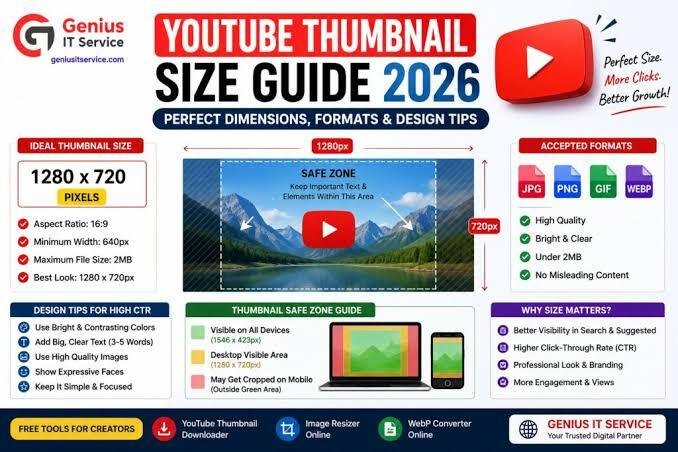
Limitations: Output resolution is 1024×1024 (you’ll need to crop to YouTube’s 1280×720), and daily limits can slow you down during peak inspiration .
Adobe Express (Free Tier)
Adobe’s free offering packs serious power. The interface is polished, and you get access to an unmatched library of Adobe Fonts and stock images . The free version includes background removal, which is usually a paid feature elsewhere .
Best for: Creators who want professional-grade design tools for free and appreciate Adobe’s ecosystem.
Limitations: Its AI image generation is often a separate step from editing, creating a clunky “generate, download, upload, edit” workflow .
Leonardo.AI (Free Tier)
Leonardo offers impressive versatility with detailed control over style, lighting, and composition . Its free tier provides roughly 100 images daily, and you can maintain brand consistency by loading your color palette . Advanced users can even train mini-models on faces or channel mascots.
Best for: Creators wanting stylized, cinematic, or highly customized visuals—especially gaming or storytelling channels .
Limitations: The workflow is more complex than template-based tools, and you’ll likely need a separate editor for text and final polishing .
Green Hope AI
Green Hope AI is a newer tool built specifically to solve a common frustration: “almost perfect” AI images that can’t be edited . It generates unique backgrounds while keeping text as a fully editable separate layer. You can fix typos, change fonts, and adjust text freely without losing the background.
Best for: Creators who want AI-generated uniqueness with practical text editing control.
Limitations: The asset library (shapes, stickers, etc.) is still growing compared to giants like Canva .
When Free Tools Are Enough
Free tools are sufficient if you:
- Publish 1-2 videos per month and have time for manual editing
- Are just starting out and learning what thumbnail styles work for your channel
- Have a simple format where thumbnails don’t require advanced effects or brand consistency
- Don’t mind some generic template usage—you prioritize speed over originality
The math is simple: occasional creators thrive on free tools. Once you cross the ten-thumbnail-a-week mark, you’ll likely spend more time waiting and cropping than a subscription would cost .
The Case for Paid YouTube Thumbnail Makers
Paid tools remove the roadblocks. You gain higher resolutions, priority generation, background removal, brand kit storage, and real support staff . Here are the top premium options:
CapCut (Premium)
CapCut offers the most balanced all-in-one solution. It combines prompt-based AI generation, smart editing, templates, and beginner-friendly workflow in one place . It’s especially useful for creators who want speed without giving up creative control . The premium version unlocks advanced features and removes limitations.
Key Features: Batch processing, conversational AI workflow, advanced generation models .
Best for: Solo creators and marketing teams wanting a complete workflow from concept to publish-ready thumbnail.
Pikzels
Pikzels is specialized exclusively for YouTube thumbnail creation and delivers best-in-class image quality . Its standout features include FaceSwap technology with expression and pose awareness, thumbnail recreation from any URL, custom persona training, and brand-specific style development . Users report CTR improvements from 3.5% to 4.2% (a 20% increase) .
Key Features: Hyper-realistic faces and expressive reactions without relying on your own photos, custom brand styles, competitive analysis through recreation .
Best for: Brand-focused creators, personal branding with consistent on-screen identity, channels requiring high-quality visual consistency .
Pricing: Premium plan at $40/month or $28/month (annual), Boost plan at $80/month or $56/month (annual) .
Thumbs.ai
Thumbs.ai is laser-focused on YouTube psychology—facial expressions, visual contrast, text hierarchy . Its style extraction engine reverse-engineers any channel’s visual DNA when you paste a URL. The face expression library lets you upload one photo and apply 15+ emotional registers (Shocked, Hype, Curious, Concerned) .
Key Features: Batch generation (up to 6 variants for A/B testing), style extraction from URLs, magic arrows and shock circles asset library, format switching between 16:9 and 9:16 .
Best for: Solo YouTube creators who publish frequently and need a fast, repeatable thumbnail workflow with built-in testing .
Limitations: Non-Latin font rendering (Japanese, Korean, Arabic) is inconsistent .
VidIQ (Boost Plan)
VidIQ functions as a comprehensive YouTube optimization platform where thumbnail generation is one feature among extensive analytics, SEO, and keyword research tools . It analyzes competitor thumbnails, keywords, and niche CTR patterns, suggesting layouts and text patterns that align with current trends .
Key Features: Integrated keyword research, YouTube analytics, competitor tracking, seamless YouTube Studio integration via browser extension .
Best for: Data-driven creators who want evidence-based design decisions alongside comprehensive channel growth tools .
Pricing: Boost plan at $16.58/month (annual), Coaching plan at $99/month (annual) .
Midjourney
Midjourney is famous for cinematic art. Its outputs feature glowing faces, dramatic lighting, and film-set backgrounds . If your videos rely on drama—gaming montages, movie breakdowns, luxury travel—these visuals earn scroll-stopping power .
Key Features: Premium visual quality, commercial rights included, unique art styles .
Best for: Channels that trade on spectacle and unique art direction rather than raw speed .
Limitations: Still runs in Discord, struggles with lettering (so you’ll add text elsewhere), and takes about 15 minutes per thumbnail if you chase perfection . Text rendering remains less reliable than typography-focused tools .
Pricing: Basic plan starts at approximately $10/month .
Adobe Express (Premium)
Adobe Express Premium provides legal certainty—Firefly trains on licensed or public-domain assets, making it copyright-safe for monetized channels . It’s ideal for brands that cannot afford a copyright claim .
Key Features: Copyright-safe image generation, generative fill for quick edits, editable layers .
Best for: Sponsored content, children’s education brands, monetized channels requiring legal clarity .
Pricing: Approximately $10/month .
Canva Pro
Canva Pro unlocks premium layouts, background removal, brand kits for fonts and colors, and unlimited premium assets . For channels producing thumbnails regularly, the brand kit alone saves significant time maintaining visual consistency .
Key Features: Brand kit, background remover, premium templates and assets, unlimited edits .
Best for: Creators who love Canva’s interface but need more assets and professional features .
Pricing: $14.99/month or $119.99/year .
Detailed Comparison: Free vs Paid Features
| Feature | Free Tools | Paid Tools |
|---|---|---|
| Cost | $0—free tiers or limited credits | Monthly/annual subscriptions |
| Best For | Beginners, casual creators, limited budgets | Businesses, professionals, bigger budgets |
| Image Quality | Good for social platforms (varies by tool) | Consistently high-quality images |
| Customization | Very limited customization | Advanced, customizable features |
| Resolution | Often capped (e.g., 1024×1024) | Up to 4K exports |
| Generation Speed | Queue times during peak hours | Priority generation, no waiting |
| Brand Consistency | Difficult to maintain across thumbnails | Brand kits, custom styles, persona training |
| Support | Limited or community-based | Real support staff |
| Background Removal | Often paywalled or basic | One-click, high quality |
| A/B Testing | Rarely available | Built-in testing infrastructure |
| Copyright Safety | Varies by tool | Licensed asset training (e.g., Adobe Firefly) |
When to Upgrade to a Paid Plan
The tipping point varies, but consider upgrading when:
- Your upload schedule increases—publishing twice a week or more, free credit caps become a bottleneck
- Brand consistency matters—you need brand kits, custom color palettes, and consistent visual identity across videos
- You’re losing time to manual editing—the hours saved by premium features outweigh the subscription cost
- Data drives your decisions—you want A/B testing, CTR analytics, and competitor insights integrated into your workflow
- You monetize your channel—copyright-safe assets become a priority to avoid strikes
- Your current thumbnails look generic—you need unique, standout visuals that don’t look like everyone else’s
The ROI Calculation
Quality-adjusted cost matters. Pikzels’ higher per-thumbnail cost often delivers better ROI through reduced editing time and higher CTR performance . Consider total workflow costs, not just subscription fees.
If you upload twice a week, the hours saved by a pro tier usually outweigh its fee before the first video finishes processing .
Recommended Hybrid Approach
The smartest strategy combines both worlds :
Start free to learn—experiment with Canva, Leonardo.AI, or DALL·E 3 on Bing. Learn what styles work for your niche without spending money.
Upgrade strategically—invest in a paid tool that addresses your specific bottleneck. If you need brand consistency, choose Pikzels or Canva Pro. If you want data-driven optimization, choose VidIQ.
Keep one reliable free option for quick edits or backups, and one paid plan for heavy lifting. This gives you flexibility without subscription fatigue .
The Bottom Line
There’s no single best YouTube thumbnail maker—only the best one for your specific workflow, volume, and skill level .
- If you’re starting out or post occasionally: Free tools like Canva or DALL·E 3 are excellent choices that cost nothing but your time.
- If you publish frequently and value speed: Tools like CapCut or Thumbs.ai pay for themselves in time saved.
- If you need brand consistency and high-quality visuals: Pikzels or Adobe Express Premium deliver professional results.
- If you’re data-driven and want growth insights: VidIQ combines thumbnails with comprehensive YouTube analytics.
The worst choice is no choice—spending another month on thumbnails that take 45 minutes each and still don’t move your CTR . Pick the tool that fits how you actually work. Test two variants on your next video. Check the numbers in 48 hours. That’s the whole playbook .
FAQs About YouTube Thumbnail Makers
What is the best free YouTube thumbnail maker?
Canva remains the most accessible all-in-one solution with hundreds of templates and an intuitive drag-and-drop interface . For AI-generated images with editable text, Green Hope AI offers a unique layered approach . DALL·E 3 on Bing excels at rendering readable text within images .
Is Canva Pro worth it for thumbnails?
Yes, if you produce thumbnails regularly. Canva Pro ($14.99/month or $119.99/year) unlocks brand kits for maintaining consistent fonts and colors, background removal, and access to premium templates and assets . For channels with strong visual branding, the brand kit alone saves significant time .
Do paid AI thumbnail makers actually increase CTR?
Yes, quality improvements directly impact CTR. Pikzels users report CTR improvements from 3.5% to 4.2% (a 20% increase) . Tools that enable A/B testing, like Thumbs.ai and VidIQ, let you identify which thumbnails perform best and iterate accordingly .
Can I make good thumbnails without any design experience?
Absolutely. Template-based tools like Canva and Adobe Express are designed for non-designers . AI-first tools like Thumbs.ai and Pikzels generate professional visuals from simple prompts or photo uploads . Start with templates, then gradually learn customization as you go.
What’s the best paid thumbnail maker for beginners?
CapCut offers the most balanced solution—combining prompt-based AI generation, editing controls, templates, and a beginner-friendly workflow all in one place . Canva Pro is also excellent for beginners because its interface remains intuitive while adding professional features .
How much should I spend on thumbnail tools?
Start with free tools. Upgrade when waiting, cropping, or support tickets start costing you clicks . Most paid plans range from $10-$40/month. Consider this an investment: a better CTR means more views, subscribers, and revenue. The hours saved often outweigh the fee before your first video finishes processing .
Are AI-generated thumbnails copyright safe?
It depends on the tool. Adobe Firefly trains on licensed or public-domain assets, making its outputs copyright-safe for monetized channels . Other tools like Midjourney grant commercial rights with paid subscriptions . Always check each platform’s terms and licensing before using generated images commercially.
What’s the fastest way to make a YouTube thumbnail?
Canva with templates—swap your title, add your face, and a serviceable thumbnail is ready quickly . ThumbMagic generates multiple thumbnails from prompts in seconds . CapCut’s all-in-one workflow from idea to publish-ready thumbnail also prioritizes speed .
Can I use a mobile app for thumbnail creation?
Yes, several mobile apps are available. The Thumbnail Design Maker – Cover app offers 500+ templates with a weekly subscription at $5.99 . The Thumbnail Maker for Youtube app features background removal, layers support, and 300+ fonts . These are convenient for on-the-go creation but may lack the advanced features of desktop tools.
Should I pay for A/B testing features?
If you’re serious about growth, yes. A/B testing lets you upload multiple thumbnail variants and track CTR performance over 24 hours . Tools like VidIQ and TubeBuddy integrate this with analytics, showing winners in green so you can switch confidently . This data-driven approach helps you understand what actually works for your audience rather than guessing.